
# 3D Animation
- In the 3D Basics section of this course, you've learned to animate your 3D models by changing the 3D properties (x-, y-, z-axis, rotation, scale). We've called this Property Animation.
- In this section we'll try to use the animations included in the model.
- In the Get Started section you have created an AR experience that shows four different dinosaurs.
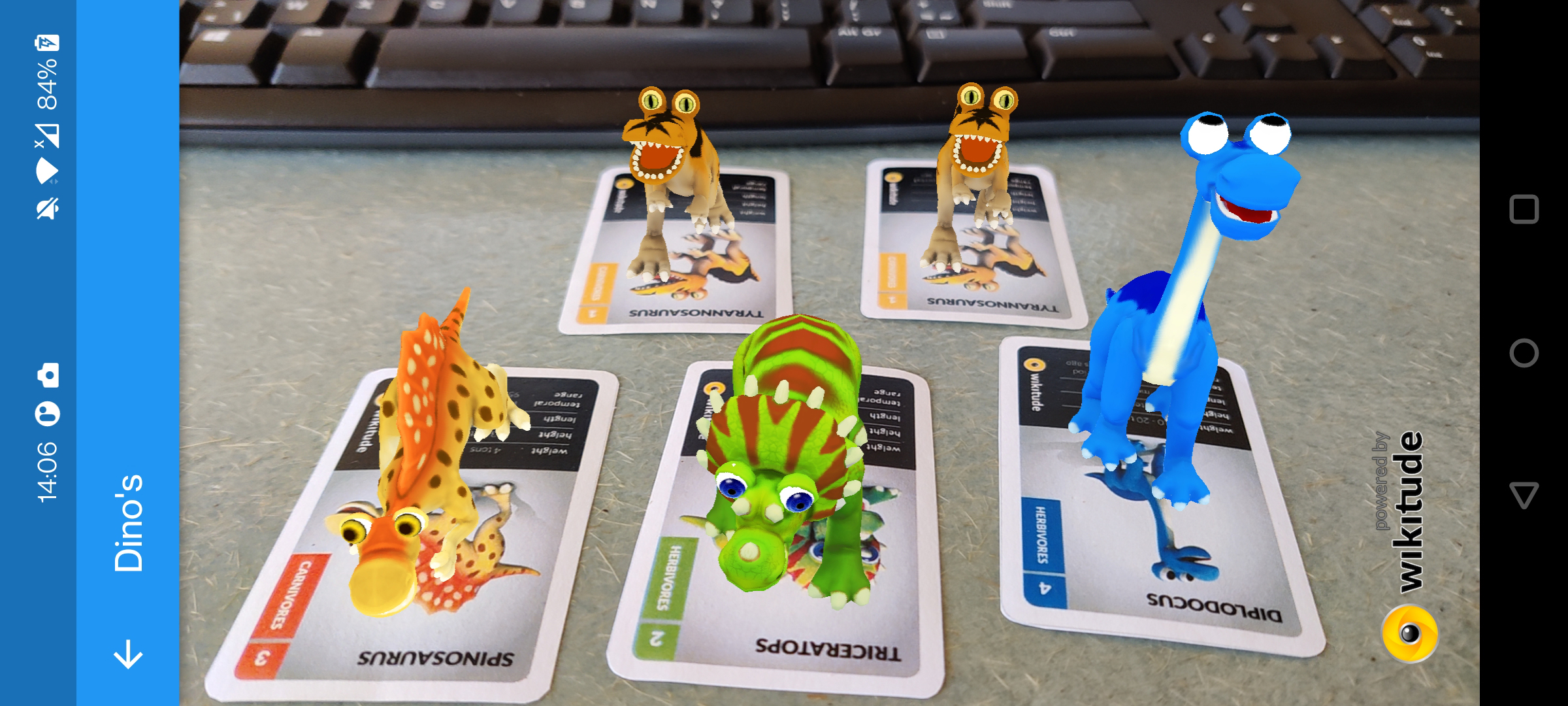
- Nice, but our dino's are a bit static. Now let's try to add some movement to the dino's.
3D MODELS
- Finding working 3D models (with animations) will be the biggest challenge in this part. Importing 3D models into Wikitude with the Wikitude 3D encoder can be really frustrating : the textures are not transferred, the animations are not read correctly, ... So be patient and hope for the best.
- The Wikitude 3D encoder supports the .FBX 3D model type for encoding .wt3 files.
- Some sites where you can try your luck downloading free 3D models: Free3D, TurboSquid, SketchFab
# Animations
- First, let's have a look at the dino 3D models and see if these models include some animations.
- Open the Wikitude 3D encoder and choose File|Open fbx/wt3. Select
triceratops.wt3(in thesamples\03_MultipleTargets_1_MultipleTargets\assetsfolder of yourmy_flutter_ar_appapplication)
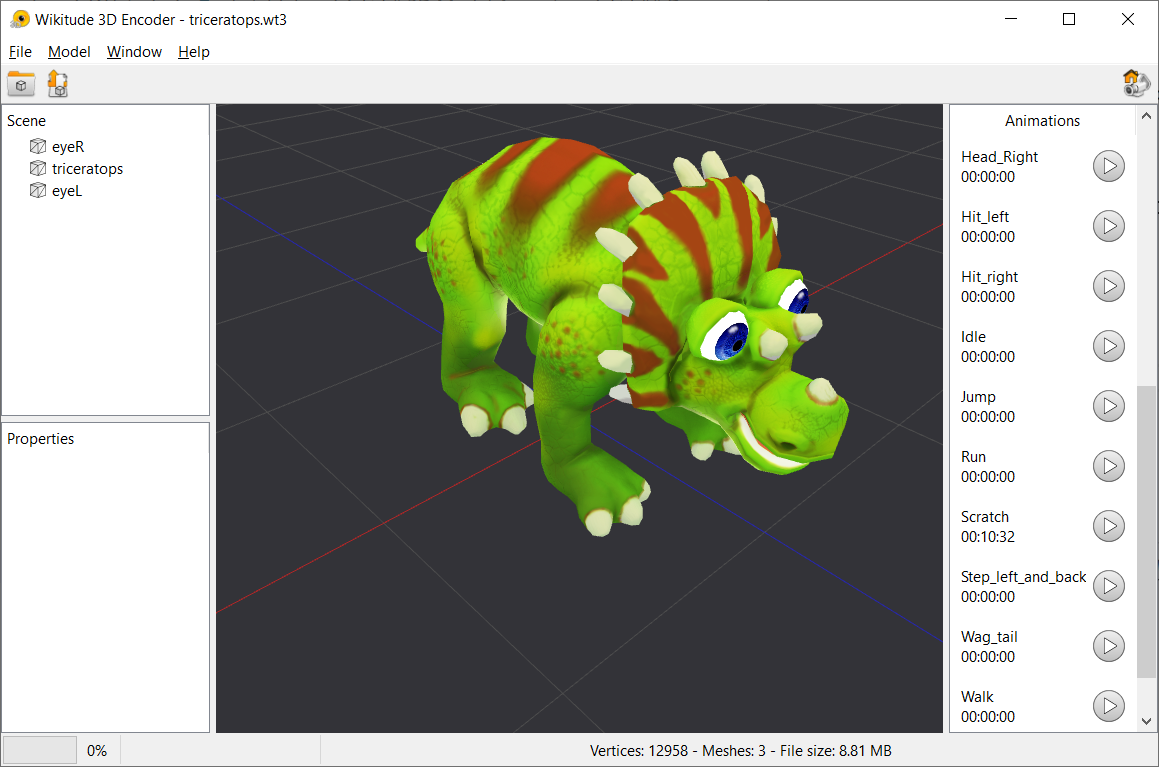
- The animations are displayed in a list on the right-hand side of the application.
- Each row of the list contains the ID of the animation, a control button and the time that passed after you started the animation. Clicking the play button will start the animation.
- You need the IDs of the animations you want to use in your application. For the triceratops we will use the
Scratchanimation. Be carefull, this ID is case sensitive.
# Playing Animations
- Open your
my_flutter_ar_appapplication in VSCode and open the filemultiplesimultaneoustargets.jsin the foldersamples\03_MultipleTargets_1_MultipleTargets\js - Add the following lines (add a comma to the previous line as well)
var World = {
    loaded: false,
    dinoSettings: {
        diplodocus: {
            scale: 0.4,
            action: "Drink"
        },
        spinosaurus: {
            scale: 0.004,
            action: "Creep"
        },
        triceratops: {
            scale: 0.4,
            action: "Scratch"
        },
        tyrannosaurus: {
            scale: 0.4,
            action: "Run"
        }
    },
1
2
3
4
5
6
7
8
9
10
11
12
13
14
15
16
17
18
19
20
2
3
4
5
6
7
8
9
10
11
12
13
14
15
16
17
18
19
20
- We've added the ID of the animation to be played for each dino in the
actionproperty of thedinoSettings. - Now start the animations like this.
        this.dinoTrackable = new AR.ImageTrackable(this.tracker, "*", {
            onImageRecognized: function(target) {
                /*
                    Create 3D model based on which target was recognized.
                 */
                var model = new AR.Model("assets/models/" + target.name + ".wt3", {
                    scale: World.dinoSettings[target.name].scale,
                    rotate: {
                        z: 180
                    },
                    onError: World.onError
                });

                /*
                AR.platform.sendJSONObject({
                    "image_scanned" : target.name
                });
                */

                /* Adds the model as augmentation for the currently recognized target. */
                this.addImageTargetCamDrawables(target, model);

                // instantiate the model animation with the animation id (in the action property)
                var animation = new AR.ModelAnimation(model, World.dinoSettings[target.name].action);
                // start the animation after 2 seconds, repeat infinitely (-1)
                setTimeout(function() { animation.start(-1); }, 2000);

                World.hideInfoBar();
            },
            onError: World.onError
        });
1
2
3
4
5
6
7
8
9
10
11
12
13
14
15
16
17
18
19
20
21
22
23
24
25
26
27
28
29
30
31
2
3
4
5
6
7
8
9
10
11
12
13
14
15
16
17
18
19
20
21
22
23
24
25
26
27
28
29
30
31
- Scan the cards and watch the diplodocus drinking, the triceratops scratching, ...
- Of course, you can combine these animations with everything you have already learned in the 3D basics section.